
1. Decide which login level the room needs
We issue three kinds of Juwa business login: distributor, sub-distributor and agent. A single game room or store that runs its own customer accounts usually asks for an agent backend. An operator who plans to supply several locations or agents from one panel asks for a distributor login, and a partner who sits between the two asks for a sub-distributor login. The commercial terms are the same at every level. If you are unsure, describe the venue in the first message — one room, a few rooms, or a wider network — and the chat will help you pick. The side-by-side comparison is on Juwa distributor, agent and sub-distributor roles, and the store-level login is explained on Juwa agent accounts for store operators. If you will supply other rooms yourself, see Setting up as a Juwa sub-distributor.
2. Review the empty backend before any money moves
New clients receive the Juwa login with no points on it. Sign in at ht.juwa777.com/login with the username and password sent in chat, and confirm three things: the login works, the level matches what you asked for, and the balance is still empty. Payment comes only after that review is satisfactory. If anything is off, write back in the same thread and wait. The full review is described in What to inspect on an empty Juwa backend before you pay.
3. Decide who in the room holds the backend login
The backend is the operator’s tool, not something to leave open on a counter screen. Before opening day, decide which person signs in, where the credentials are kept, and who else, if anyone, is allowed to know them. If you think the credentials have been seen by someone who should not have them, raise it in the same chat with us rather than carrying on as normal. Keep the login separate from any customer-facing device.
4. Size the first prepaid load
The smallest load this desk places is 500 points. There is no credit line, no tab and no “pay after the weekend” arrangement: the current wholesale rate is confirmed in chat, payment is sent in cryptocurrency, and the agreed points are loaded onto the same login you reviewed once that payment is confirmed. Pick a first amount you are comfortable paying in full up front. This page does not suggest a number, because the right quantity depends on your own room and your own budget.
5. Plan refills before the balance runs low
Because every load is prepaid, a refill cannot be placed until the payment for it has been confirmed. Leave yourself a margin and ask for the next load before the balance is close to zero, rather than at the moment it runs out. Refills are requested on the same login issued here: name the account and the quantity, again at least 500 points. The details are in Reloading Juwa points on a panel already issued here. Support on issued accounts is available at any hour on WhatsApp, Telegram, Signal and email.
6. Keep a simple record of every load
A short log kept by the operator makes later conversations easier: the date, the login the points went to, the quantity requested, the amount paid and the chat where it was agreed. If a question ever comes up about a particular load, that record and the chat thread are what both sides will look at. This is your own bookkeeping; we do not ask you to send it.
7. Know what the lobby contains, without promising a list
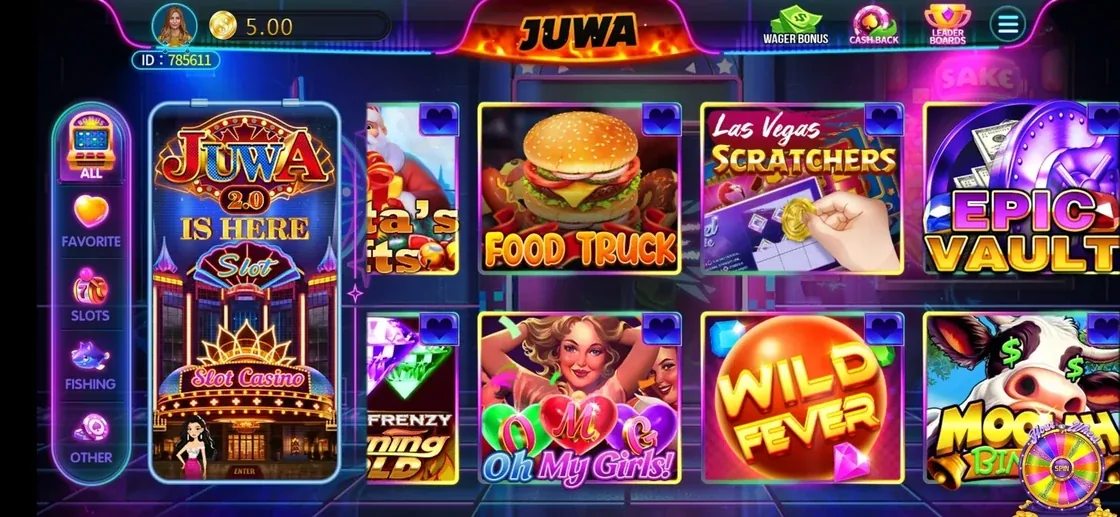
The Juwa lobby mixes fish tables with classic and video slots. Screens shown on this site’s home page include titles such as Flaming 50x, Pinball Double Gold, Hour Wheel, Dragon Treasure, 3X Ultra Diamond and Bar 777. Lineups change, so this desk does not keep a title-by-title catalog; the venue-side overview is on Juwa fish games for game rooms and internet cafes.
8. Know what this desk will not do
- It will not load points onto a Juwa panel obtained from another supplier. Points go only into backends purchased from this site.
- It will not move points between a Juwa login and a Juwa 2.0 login. Each platform keeps its own issued account.
- It will not sell game credits to individual players. Every sale here is to the business that holds the backend.
Rules for running a game room differ by state and by city. Check the requirements that apply where you operate before you open; this checklist covers the supply side only. This site is an independent seller and is not the platform developer.
Ready to have an empty Juwa backend issued for your room, or not sure which level fits? Write on the channel you prefer.